How to Start a Wireless ISP
The following material is meant to help you with what steps are necessary
to start a Wireless Internet Service Provision System (WISP). Under
WISP we understand an integrated Metropolitan Area Network (MAN) system
of connecting customers to the Internet. High-speed wireless datalinks
are used to provide Internet access on a point-to-point and point-to-multipoint
basis for companies, governmental organizations, schools, universities
and other institutions having Local Area Networks (LAN).
First of all, you should answer the main question:
Are you already an Internet Service Provider (ISP)? I.e.,
- Does your company have a permanent (256kbps or faster) Internet
connection?
- Do you have experience providing basic Internet services to the customers?
- Are you running a domain name server, e-mail server, http and ftp
services?
- Do you have experience providing leased line connection and dial-in
services to the customers?
If your answer to this question is YES, then you can proceed with
your plan of becoming a Wireless ISP and follow the suggestions given
in this material.
Should your answer be NO, then please understand you must first
become an Internet Service Provider.
Those, who are Internet Service Providers, can start finding answers
to following questions:
Q1: Do you expect to have the necessary customer basis for a Wireless
ISP System in your city?
Generally speaking, you should consider the WISP just like permanent
leased line connections to the customers, but at a higher speed and lower
cost. Please read about What is a WISP, and what not*.
*What is a WISP, and what not? The Wireless ISP System is
a fixed wireless service between the central node and the client.
It is not a mobile service, at least in most
of the cases, because:
--
Direct line of sight is required between the central node and the client,
and
--
Low power radios and high gain antennas are used for the wireless links.
The Wireless ISP System operates at the 2.4GHz, 5.2Ghz or
5.8GHz ISM band. It does not operate at 900MHz because of the interference
with the GSM telephone networks.
The Wireless ISP System is a land service operating
as a Metropolitan Area Network with cells of 10-12 km radius. It is not
a Satellite ISP System. The Wireless ISP System is
a bi-directional service, where both the client and the central
node is sending and receiving data. It is not a transmitter - receiver
system, every node does both tasks.
Q2: What are the regulations and rules for using the 2.4GHz, 5.2GHz or
5.8GHz wireless data communication equipment in your country?
In most cases you will need to get a permission to use the frequency,
but sometimes a license might be necessary for providing wireless service.
We provide our customers with copies of the necessary Certificates and
Type Approval Documents that might help you getting things organized legally.
Check the list of available documents by contacting us by e-mail.
Q3: Is the setup of wireless connections technically
possible?
The system operates on a point to multi-point basis, and consists of
a base station and several client nodes within 10-12km radius around it.
The client nodes connect to the base unit over wireless links. Therefore,
direct line of sight* is required between the client antenna and
the base station antenna in order to establish the wireless connection.
*Direct line of Sight between two points is ability to
see from one point the other point without any physical obstacles, like
trees, leaves of the trees, branches of the trees, buildings, walls,
roof constructions, hills, forests.
For longer distances, there can be problems with ensuring the
line of sight due to the Earth curvature. For example, direct line of
sight can be ensured between two points located between each other at
a distance of 30km, if they are risen at 17m height. Please use the Distance
Calculation Utility provided by Mikrotikls.
Q4: What would be the best location for the Base Station?
You should consider a high location for installing the central antenna,
so that all your client antennas could see the central antenna without
any obstacles, i.e., they should have direct line of sight with the central
antenna. Some suggestions for best locations of Base station antenna could
be:
- Top of a high building somewhere in the city
- Top of a building located on a hill
- high tower (TV or some communication tower)
It is very important, that you can find such a location, where the
Base Station antenna and the Base Radio Unit can be installed closely,
e.g.,
- antenna on the roof of a building and base unit in the attic,
- antenna on a communication tower and base unit in a weather-proof
box attached to that tower.
Although a low loss cable is used for connecting the antenna to the
Base Radio Unit, its length should be as short as possible to avoid signal
loss. The cable length should not exceed 9m without an amplifier.
Do not plan to have longer cables, or to substitute low loss cables with
some lower quality ones – your system won't work!
Also, you will need to organize 220V power to the base unit, uninterruptible
power supply is recommended.
Q5: What equipment and preparations are needed for the Client Site?
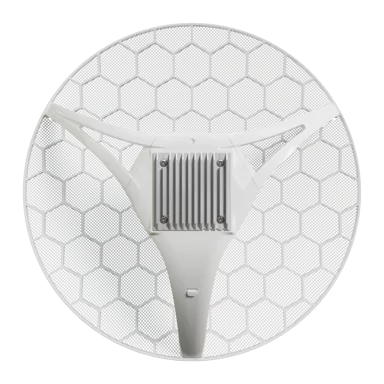
For client site you will need to consider where to mount the directional
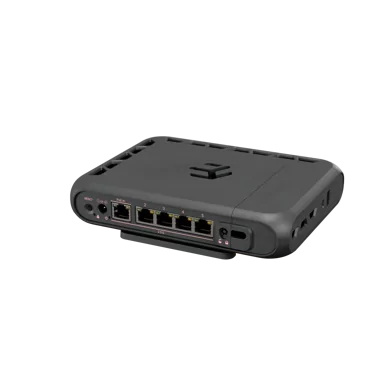
parabolic grid antenna, where to put the wireless router and how to connect
it to the client's LAN and to 220V power. Again, you should find a place
for the router, where the distance to the antenna is minimal. You should
better consider using a shorter antenna cable and extend the LAN’s cable
[and power] to the place where you install the router. Although longer
cables (20-40m) are acceptable, when connecting over short distances (1-2km)
to the base unit, we recommend using 10m cable.
Typical locations for the client antenna are:
- roof of the building, antenna attached the pipe holding TV antenna,
or a specially installed pipe for your antenna,
- wall of the building
- window frame, antenna mount attached to the window frame of a room,
where the wireless router is located
Q6: How to install and configure the central site with the base
unit and omni-directional antenna?
When the place has been found for the omni-directional antenna and
for the base unit, the antenna should be mounted and cable connected to
the antenna and to the base unit. Connectors outside the rooms should
be protected using weatherproof rubber material tape to avoid moisture
coming into the connectors. Ordinary electrical tape should be put over
the rubber protecting tape. Electrical tape alone does not protect the
cable connections hermetically enough. Within a few months moisture will
be inside the cable connections, and the quality of your system will be
degraded.
What concerns the minimum required configuration of the base unit,
you should choose the frequency your system will be operated at, the
basic data rate, and the system identifier. Only clients having the
same radio settings will be able to work with your base unit. More options
for configuring the base unit are explained in the manual for it.
Q7: How to install and configure the client sites with the wireless
router and directional antenna?
The directional antenna should be mounted vertically polarized, since
the base unit (omni-directional) antenna is vertically polarized. The
same rules as described above are applied for connecting and protecting
the cables. The antenna should be pointed directly to the central antenna.
Performing link test between the base unit and client router should do
final adjustment.
Q8: What are possible TCP/IP network configurations for the WISP
system?
Usually the client LANs may have the TCP/IP protocol running with unregistered
IP addresses. You may leave the addresses as they are and take one free
address from the client's network for the Ethernet interface of Wireless
Router. Alternatively, you may provide the client with a subnet from the
network addresses that you have as an ISP. The Ethernet address of wireless
router is default gateway for all hosts on the clients LAN.
The Wireless LAN is another TCP/IP network, since it is separated from
the client networks by routers. An IP subnet should be assigned to the
hosts on the wireless LAN including the wireless interfaces of all client
routers and the base unit, one address to each of them. The following
should be considered when setting up default gateways for all client
routers and the bridge.
- If the wireless network is connected to your network, i.e., the
base unit's Ethernet port is connected to your/ISP’s network cable,
then the default gateway is that host/router, what is used for your
network. Note that the base unit is a bridge and not a router, therefore
it does not serve as a TCP/IP gateway. See the possible setup diagram.
- If you use one of the wireless routers as a gateway to connect
the wireless network to your/ISP’s network, then use the radio interface’s
IP address as the default gateway for all client routers and the base
unit. See the possible setup diagram.
Use traceroute and ping to test how well you have done the TCP/IP configurations.
Read textbooks and RFCs once more if you have forgotten the basic things
about IP networking and routing. But remember, that nothing will help
you to get pings going between two hosts and further, if you have problems
with the radio connection. It's just like if you have cabling problems,
you cannot ping.
|